| Other programs and utilities |
|
|
| |
Making of backup copy |
01.08.2000 |
Step 1. Run OS Backup Wizard. Double-click the icon on Desktop or click Start, point to Programs, and then click OS Backup Wizard.
Main window
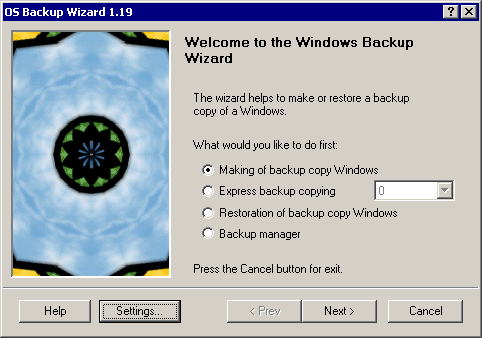
Step 2. Click "Making of backup copy Windows" and then click the Next button.
Making of backup copy. General tab
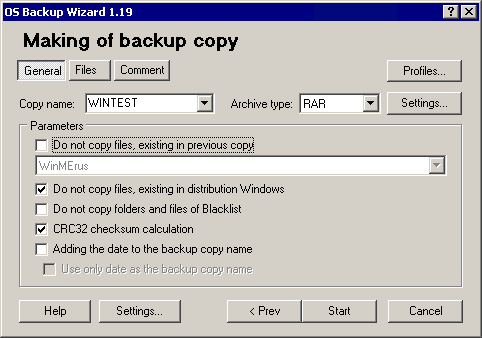
Step 3. General tab. Specify here:
- Copy name.
- Archiver type.
- If this is not first backup copy that check "Do not copy files, existing in previous copy".
- You can not backup files also, if they are in distribution Windows.
- To not make copying temporary files you need to check "Do not to copy files and files of Blacklist".
- Check an option "CRC32 checksum calculation" for tracing the changed files.
- Check options "Adding the date to the copy name" è "Use only date as the copy name" which automatically set copy name. Option "Adding the date to the copy name" at using the profile is always checked.
Making of backup copy. Files tab
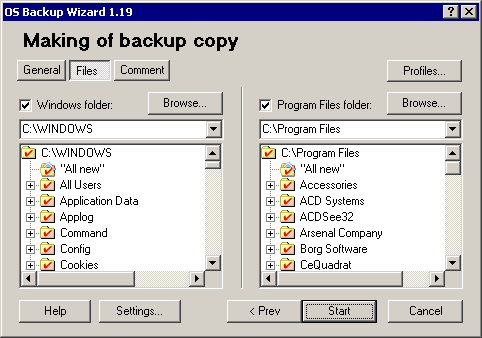
Step 4. Files tab. Choose folders and files for backup copying.
Making of backup copy. Comment tab
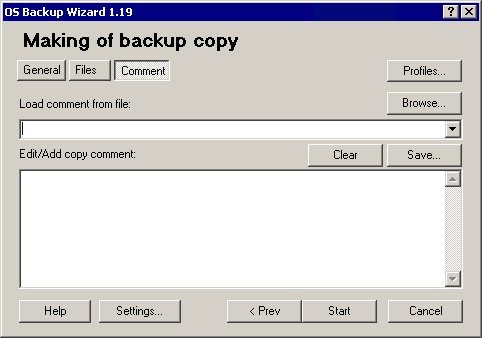
Step 5. Comment tab. Here you can write the comment or load it from file.
Step 6. Click the Finish button for begin backup copying.
Making of backup copy
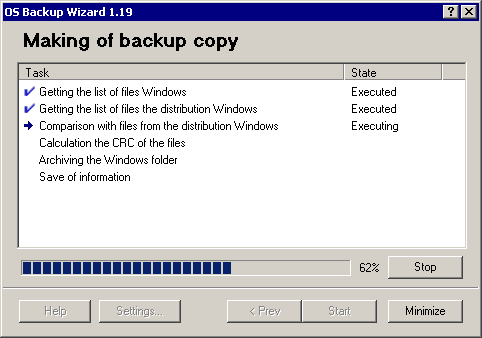
Step 7. If you want to break the process, click the Stop button.
Step 8. At the end of backup copying click the Close button for exit from program or the Back button for other actions.
© 2024 Rising Research. All rights reserved.


 OS Backup Wizard